StudyInUkraine - Your Guide to Studying in Ukraine
StudyInUkraine is a dedicated platform crafted to support international students in seamlessly planning and navigating their academic journey in Ukraine. Our mission is to provide a comprehensive digital resource where students can effortlessly manage schedules, stay informed on university events, and access essential academic and administrative information.
Get StartedProject Overview
StudyInUkraine is a dedicated platform crafted to support international students in seamlessly planning and navigating their academic journey in Ukraine. Our mission is to provide a comprehensive digital resource where students can effortlessly manage schedules, stay informed on university events, and access essential academic and administrative information.
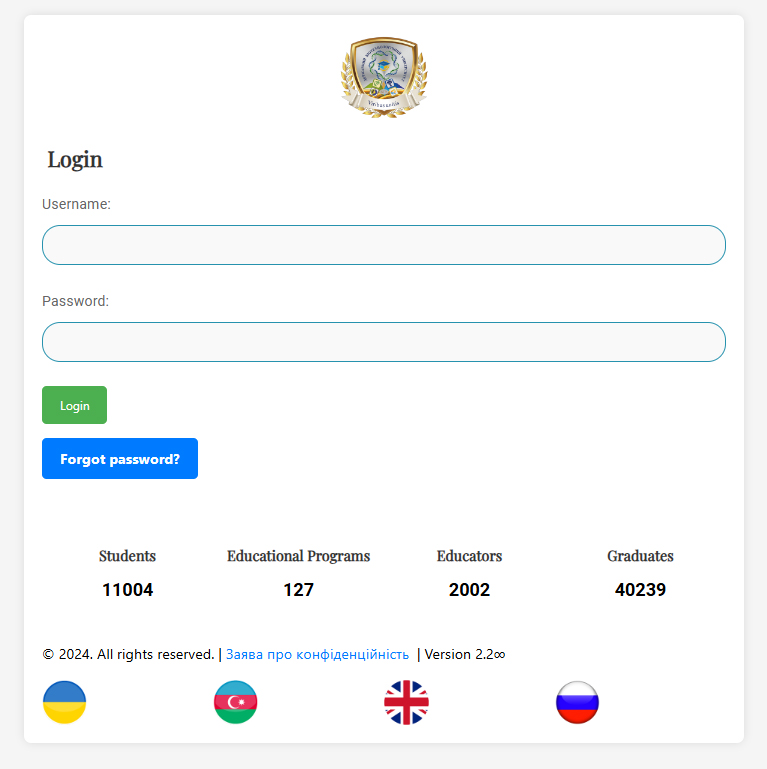
Step 1: Main Page and Login Access
The main page allows students to securely access the system using their username and password. The login interface is simple and includes options to reset the password if needed.
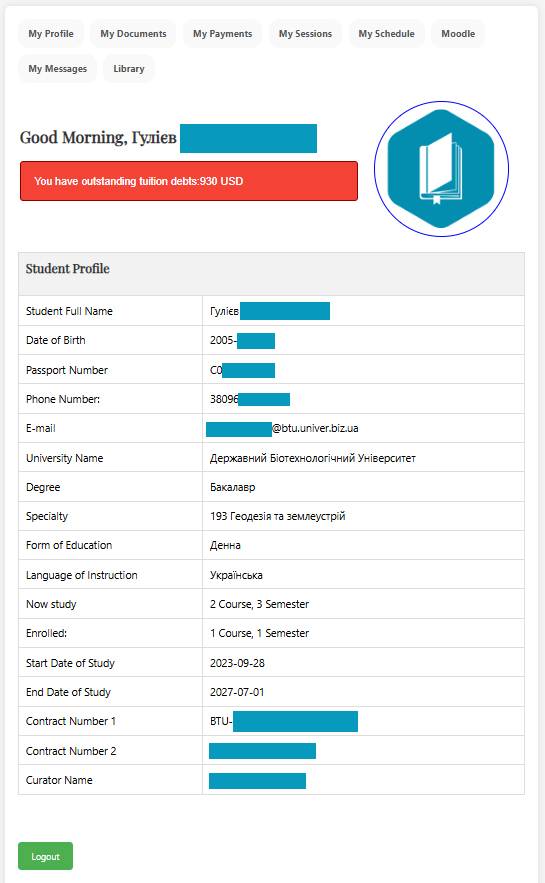
Step 2: Profile Overview and Navigation
Once logged in, students can access their profile, which includes key menus for navigating various sections like "My Profile," "My Payments," "My Sessions," and more, making it easy to manage academic activities.
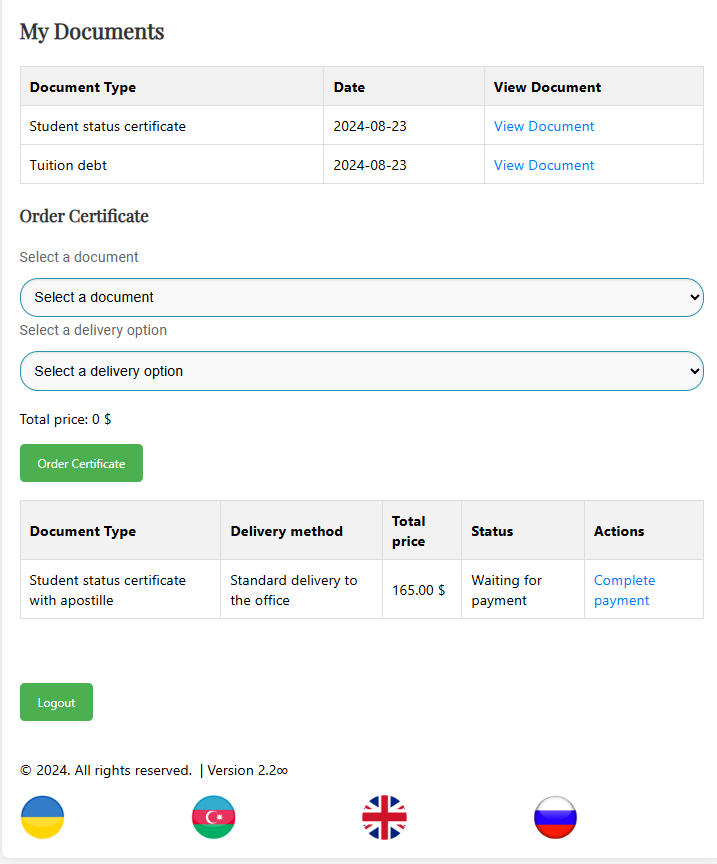
Step 3: Document Access and Requests
Students can view university-issued documents, such as certificates, and request additional documents if needed. They can select a delivery option and track the status of their requests.
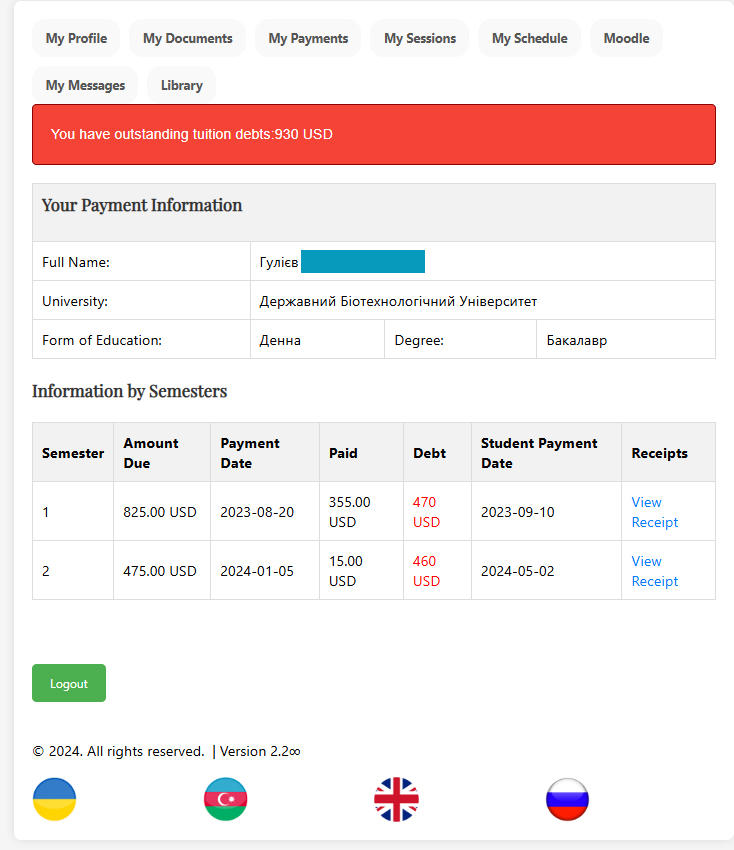
Step 4: Payment History and Outstanding Balances
The payment section provides details on tuition payments, outstanding balances, and deadlines. Students can also view payment receipts for each transaction.
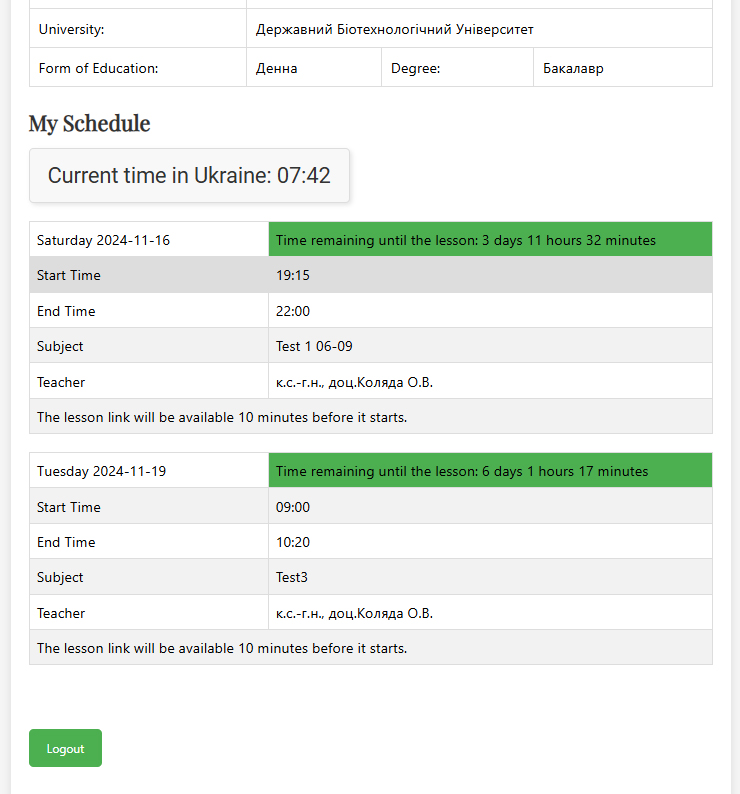
Step 5: Class Schedule and Timing
The schedule section displays upcoming classes, including start and end times, so students can effectively manage their study time. It also shows the time remaining before each class.
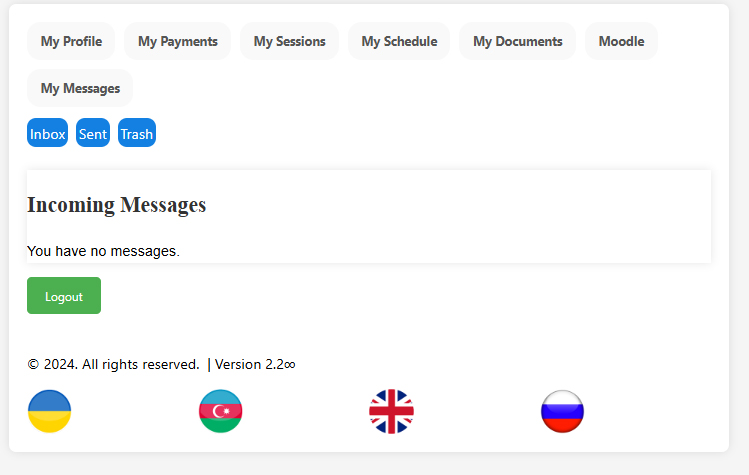
Step 6: University Email and Messaging System
Students have access to a dedicated messaging section where they can view messages from the university. This section organizes messages into folders like Inbox, Sent, and Trash.